
Reviews
Fashion Dash Run stands out for its creative combination of dress-up and racing mechanics. The simple controls make it easy to play, while the variety of style goals keeps each level fresh. Collecting diamonds and avoiding obstacles adds a layer of strategy that appeals to both casual and dedicated players.
About this game
Game Introduction
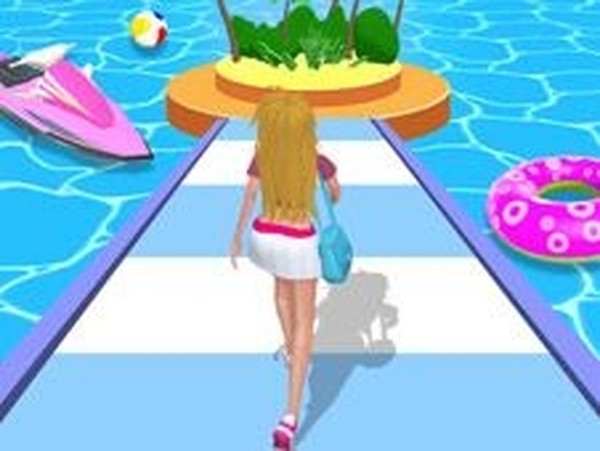
Fashion Dash Run is an arcade game that combines the excitement of running with the creativity of fashion. Players take control of a model racing down a track, collecting clothes and accessories to complete a specific style for each level. The game offers a unique experience for fashion lovers and casual players by blending speed with dress-up challenges. Each level presents a new style goal, and players must gather the right items while avoiding obstacles and paint spills that could ruin the outfit. At the end of each run, a judge checks the outfit; if it does not match the required style, the level must be replayed. The game is designed to be accessible and enjoyable for players of all ages.
How to Play
Players typically move their model left or right on the track to collect items with green arrows above them, which are needed to match the required style. Diamonds along the path boost the score and can be used to buy upgrades in the shop. It is important to avoid obstacles and paint spills that could ruin the outfit. At the end of each run, a judge checks the outfit; if it does not match the style, the level must be replayed. The controls are simple and intuitive, making it easy for anyone to pick up and play.
Game Features
The game includes fun fashion racing with dress-up challenges, simple controls, and the ability to collect diamonds for shop upgrades. Each level presents a new style to complete, and obstacles and paint spills add extra challenge. The game is suitable for players of all ages and offers a unique blend of speed and style.
Tips for Success
Practice regularly to improve your timing and movement on the track. Focus on collecting the items indicated by green arrows first, as they are essential for completing the style. Gather as many diamonds as possible to unlock helpful upgrades in the shop. Learn to anticipate obstacles and paint spills to keep your outfit clean and avoid restarting levels.



Comments
Sign in to leave a review
No account? Create one
No comments yet.