
Reviews
Two Player City Racing Arcade delivers exactly what it promises: straightforward head-to-head racing on a single screen. The split-screen view works well, and the 3D city tracks provide visual variety. Unlocking different cars adds a nice progression element. Controls are responsive, making it easy for anyone to jump in. It is a solid choice for casual gaming sessions with a friend.
About this game
Game Introduction
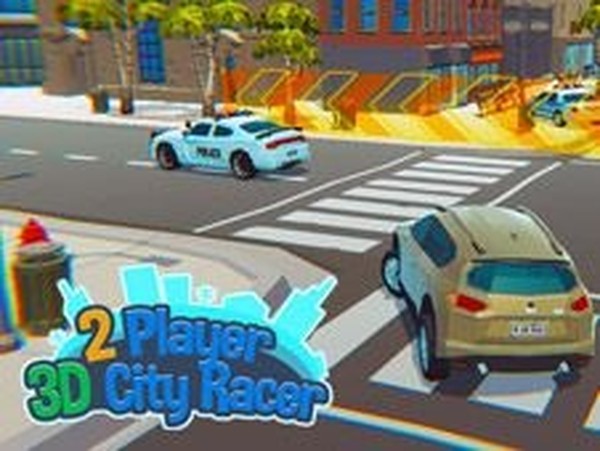
Two Player City Racing Arcade is an arcade-style racing game that brings competitive driving action to your screen. Designed for two players, this game focuses on head-to-head races through vibrant 3D city environments. The core objective is simple: be the first to cross the finish line. With its split-screen format, it offers a shared gaming experience perfect for friends or family members looking for quick, fun competition. The game emphasizes straightforward racing without complex rules, making it accessible for players of various ages.
How to Play
Two players race simultaneously on the same track using a split-screen view. Each player controls their car using a separate set of keyboard keys—typically one set for player one and another for player two. The goal is to complete laps around the city track and finish ahead of the opponent. Winning races and completing events earns in-game currency, which can be used to unlock new vehicles. The controls are designed to be responsive and easy to learn, allowing players to start racing immediately without lengthy tutorials.
Game Features
This game includes split-screen multiplayer for two players on a single device, allowing for local competitive play. Players can unlock a variety of cars, such as taxis, sports cars, and SWAT vehicles, by earning currency through race victories. The 3D city tracks offer varied layouts and environments, adding visual diversity to each race. Simple keyboard controls make the game easy to pick up, while the progression system rewards consistent performance. The arcade-style gameplay ensures sessions remain fast-paced and engaging.
Tips for Success
To improve your chances of winning, practice navigating the city tracks to learn their layouts and shortcuts. Focus on maintaining speed through turns by braking and accelerating smoothly. Use the in-game currency wisely—prioritize unlocking cars that match your driving style. Pay attention to your opponent’s position on the split-screen to anticipate their moves. Finally, stay calm under pressure; consistent driving often beats risky maneuvers.



Comments
Sign in to leave a review
No account? Create one
No comments yet.