Going Balls Arcade Game
Reviews
💡Going Balls offers a clean and responsive control scheme that makes rolling through courses feel smooth. The variety of obstacles and the addition of keys and arrows keep each level fresh. Collecting coins to unlock new ball skins adds a rewarding layer of personalization. The difficulty ramps up gradually, providing a good challenge without being unfair. It is a solid choice for casual gamers looking for a quick and enjoyable arcade experience.
Description
Game Introduction
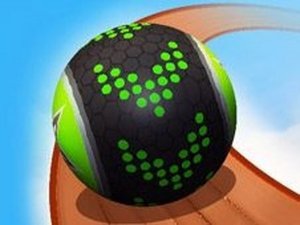
Going Balls is an arcade game that puts you in control of a rolling ball navigating sky-high courses. The goal is to advance by swiping forward and dodge obstacles by swiping sideways. As you roll, collect balls to boost your score and gather coins to unlock new ball skins in the shop. Courses are filled with lightweight boxes you can smash through and harder barriers that require careful maneuvering. Watch out for the edges, as courses float in the sky with only occasional guardrails. New elements like directional arrows and keys appear as you progress, adding variety to each run.
How to Play
To play, start by swiping on your screen to set your ball in motion. Swipe forward to move ahead, and swipe left or right to change direction and avoid obstacles. Collect coins by rolling over them, and gather keys to open surprise chests for extra rewards. Each level introduces more obstacles and trickier paths, so stay focused and plan your moves carefully. The game is easy to pick up but offers plenty of challenge for players of all skill levels.
Game Features
Game features include rolling ball gameplay, obstacle dodging, coin collection, ball customization, and progressive difficulty. Levels become more complex as you advance, requiring quick reflexes and strategic swiping. The shop lets you personalize your ball with different skins earned through gameplay.
Tips for Success
Practice your swiping timing to avoid obstacles smoothly. Focus on collecting coins and keys to unlock customization options. Pay attention to new elements like directional arrows and keys as they appear. Stay aware of the course edges to prevent falling off. Take short breaks if you feel frustrated, as the increasing difficulty rewards patience and focus.