
Reviews
Mystic Color Match Challenge is an engaging puzzle game that combines color recognition with quick reflexes. The simple keyboard controls make it easy to pick up, while the increasing speed keeps the challenge fresh. It is completely free and runs smoothly in the browser, making it a great choice for a quick mental workout. The full screen mode adds to the immersive experience.
About this game
Game Introduction
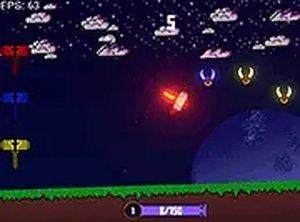
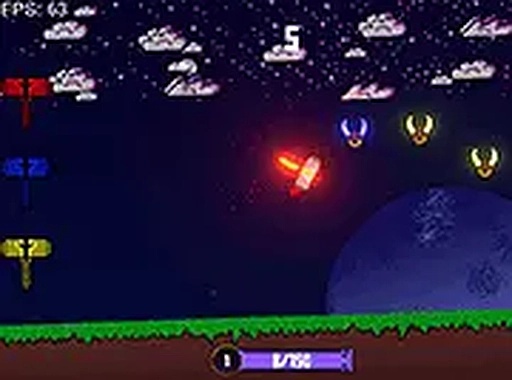
Mystic Color Match Challenge is a color matching puzzle game designed for desktop play. In this game, players control a mystical hammer with the goal of changing its color to match the color of obstacle horns. When the hammer's color aligns with the obstacle, the obstacle is cleared. The game begins with a brief immunity period, giving players a moment to get ready and understand the controls. This simple yet addictive challenge tests your reflexes and color recognition skills. It is completely free to play and runs smoothly in your browser. For a more immersive experience, you can play in full screen mode. After mastering Mystic Color Match Challenge, you can explore more matching games. The game offers a straightforward objective that is easy to understand but difficult to master, making it suitable for players of all ages who enjoy quick-thinking puzzles.
How to Play
To play Mystic Color Match Challenge, use your mouse to control the hammer's movement across the screen. The core mechanic involves pressing the A, S, and D keys to change the hammer's color to match the obstacle horns. When the colors match, the obstacle is cleared. The game begins with a few seconds of immunity, allowing you to get comfortable with the controls and obstacle patterns. As you progress, the challenge increases, requiring quick thinking and precise color matching. This game is optimized for keyboard and mouse use on computers, ensuring responsive controls. The key to success is to stay focused and react quickly to the changing obstacles.
Game Features
Mystic Color Match Challenge includes several features that enhance the gameplay experience. The core feature is the color matching challenge, which requires players to use keyboard controls to change the hammer's color. The game is free to play directly in your browser, with no downloads or installations needed. Full screen mode is available for a more immersive experience. The game is designed for desktop play, utilizing keyboard and mouse controls for precise input. Additionally, the game may include a progression system that increases the speed and complexity of obstacles as you advance. These features combine to create a simple yet engaging puzzle game that tests your reflexes and color recognition.
Tips for Success
To succeed in Mystic Color Match Challenge, practice color recognition to quickly identify the correct key to press. Use the initial immunity period to get familiar with the controls and obstacle patterns. Stay focused as the speed increases, and try to anticipate upcoming obstacles. Regular practice will improve your reflexes and help you achieve higher scores. Maintaining a calm mindset and avoiding distractions can also enhance your performance.






Comments
Sign in to leave a review
No account? Create one
No comments yet.